GetDigital formThroughMagic forms

Upload a photo or PDF and we’ll turn it into an editable, shareable form or upload a form you already have to fill in, save, and print instantly.
 Core Features
Two ways to ditch paper forms
Build a new online form from any document, or fill in the one you already have.
Turn paper into a digital form
- Upload a photo of the form you want to create and it’ll be turned into a digital form.
- You can easily customize your form to fit your needs.
- No design or tech skills needed anyone can do it.
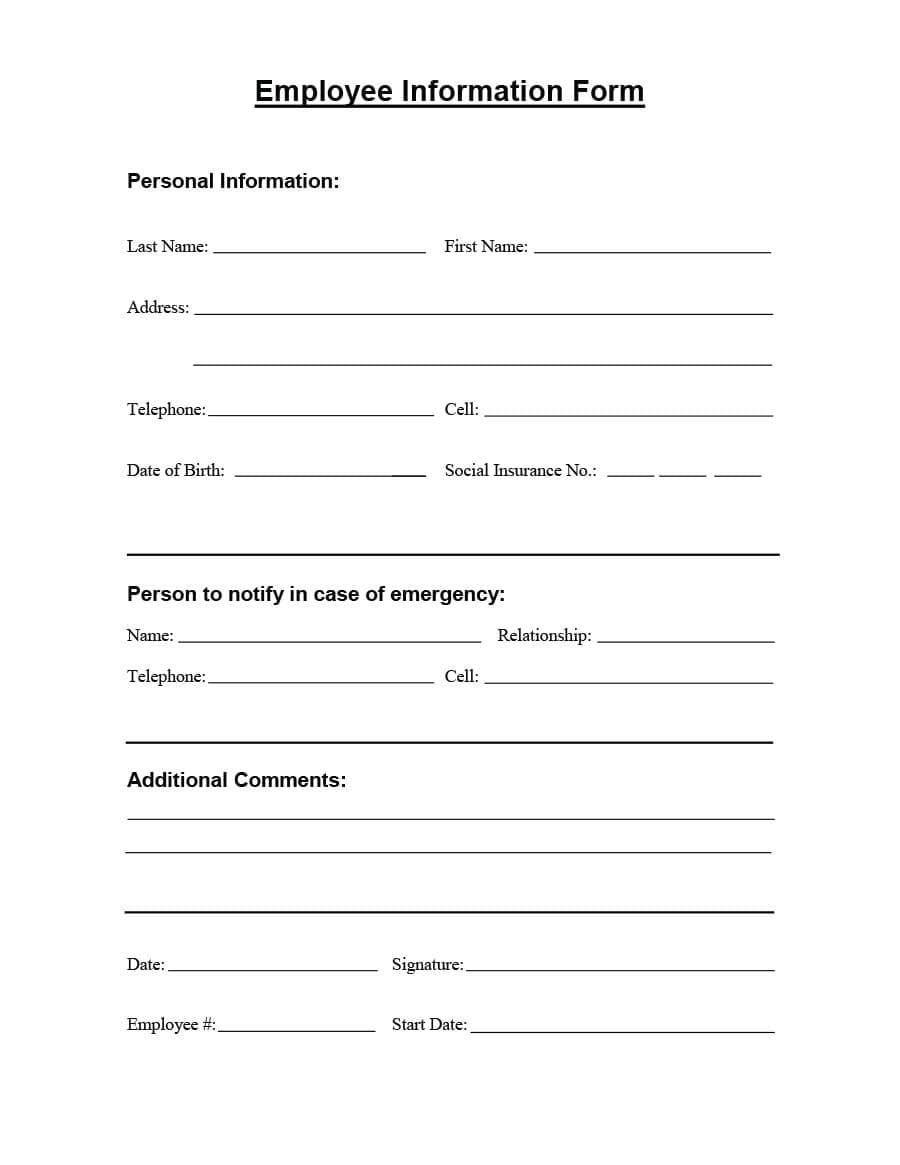
Personal Information
First name
Marihan
Last name
Radwan
Address
united states
Telephone
+1 (555) 012-3456
Cell
-
What’s IncludedA Full Toolkit, Not Just a Converter
Sharing, a dashboard, version history, and Excel export, built into every form.

No Sign-Up Needed
Generate your first form without an account, and keep editing until it’s exactly right.
Add a field
Edit & Add Any Field
Add, rename, or reorder fields, including checkboxes, multiple choice, and dropdowns.
Your form is live!
Anyone with the link can fill it in.
Instant Shareable Links
Sign in and publish your form to get a live link. Share it anywhere, no hosting or setup required.
One Dashboard for Every Form
All your forms live in one dashboard. Track responses, edit fields, and manage everything from one place.
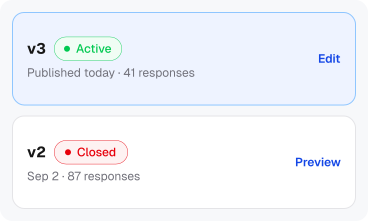
Full Version History
Edit any version to publish a new one. Older versions keep their responses, so nothing gets lost.

Export to Excel
Download every response as an Excel file in one click.
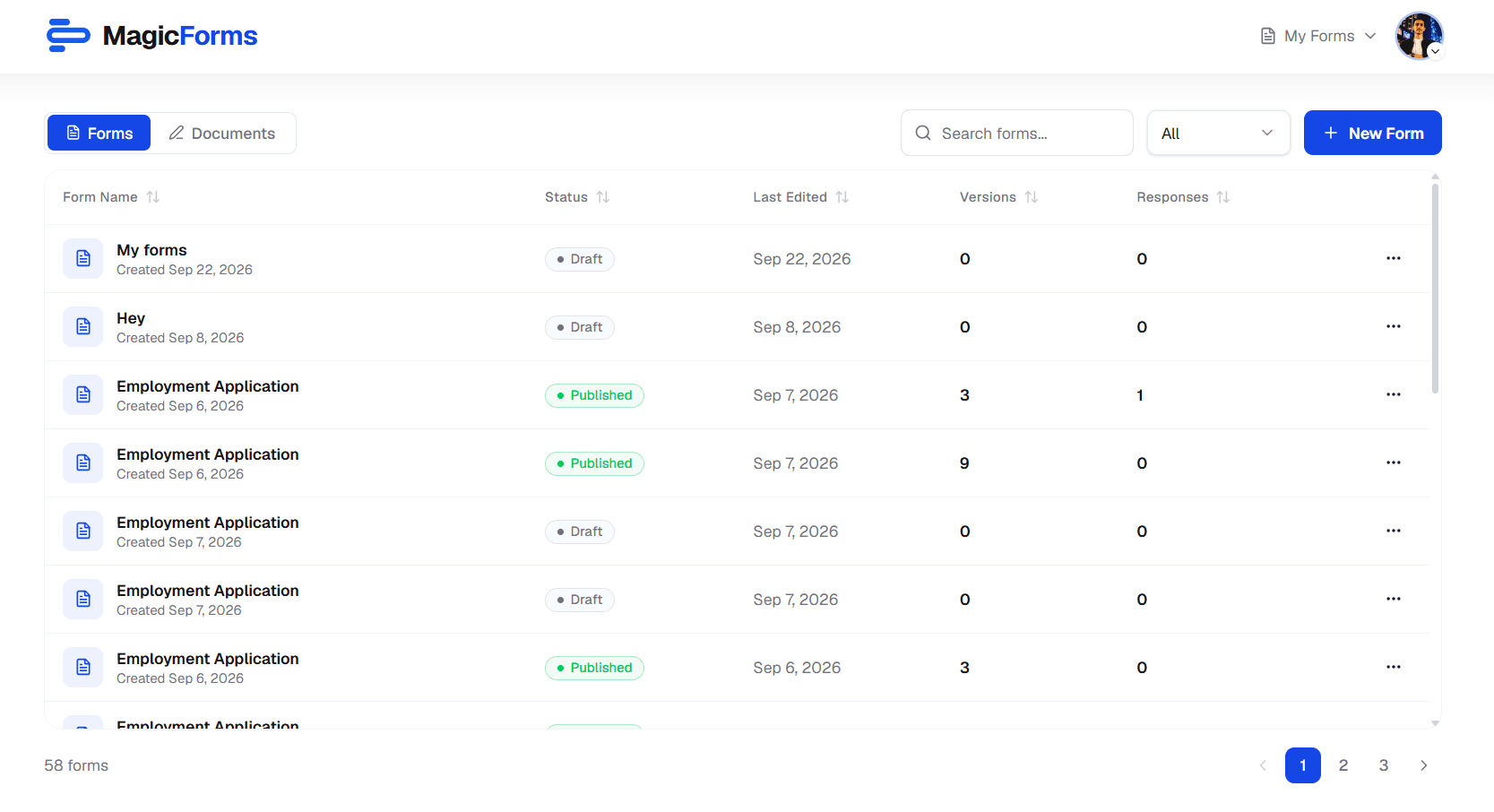
Your DashboardSee How Every Form Is Doing
Know which forms are live, which are drafts, and how many responses each one has.
 See it in action
From paper to digital form in seconds
Watch MagicForms turn a real document into a form you can edit, share, and fill, with no typing and no design work.

Magic Form Full Demo
Click to watch
FAQCommon questions
Everything you need to know before you start.
You can upload images (JPG or PNG) and PDF files up to 10MB. Any scanned document, photo, or handwritten form works great.
Upload a photo or PDF of any paper form, then pick what you want to do with it. Magic Form can turn it into a fully editable digital form you can share with a link, or find the blanks so you can fill and download the original.
Yes. Choose Fill after uploading and our AI finds every blank on your original document. Type your answers beside the scan, add a signature if the form needs one, then download the completed file as a PDF with the original layout untouched.
You can fix it yourself. Any detected field can be renamed, retyped, moved, or resized, and you can add fields the AI missed, including checkbox and radio questions with your own options.
Yes. Every form gets a unique shareable link. Anyone with the link can fill it out, with no account or app required.
Absolutely. You get a full editor to rename fields, change types, reorder sections, mark fields as required, and more before publishing.
Your files are only used to generate the form. We do not store or share your original documents.
Ready to say goodbye to paper forms?
Join teams who save hours every week with Magic Forms.